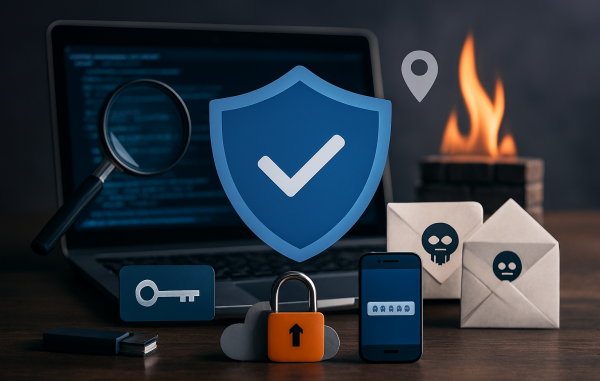
It’s simple as A, B, C!
A–Z guide to help North Carolinians strengthen everyday digital safety
The North Carolina Department of Information Technology is encouraging residents to brush up on the ABCs of Cybersecurity, a simple but effective way to build stronger digital habits. By reviewing key terms and concepts from A to Z, users can better understand how cyber threats work and how to protect themselves, their data, and their devices.
Strengthen your online safety with this A–Z breakdown of key cybersecurity terms and practical tips.
A – Authentication
Use secure sign‑in methods to protect sensitive data.
B – Backup
Regularly back up important files to prevent data loss.
C – Cloud Security
Limit cloud access to trusted, authorized users only.
D – Digital Footprint
Think before you post and avoid sharing personal information publicly.
E – Encryption
Encrypt sensitive data before storing or sending it.
F – Firewall
Configure firewall rules so only necessary traffic is allowed.
G – Geotagging
Turn off location sharing when it’s not needed.
H – Hacker
Avoid suspicious links or attachments and never share passwords online.
I – Incident
Have an incident response plan ready in case of a breach.
J – Jailbreaking
Avoid removing device restrictions — it weakens built‑in security.
K – Keys
Use strong, unique encryption keys and rotate them regularly.
L – Lockscreens
Enable password‑protected lockscreens on all devices.
M – Malware
Keep software updated, run antivirus scans, and avoid risky downloads.
N – Network
Secure your Wi‑Fi with encryption and a strong password.
O – Operating System
Install OS updates promptly to patch vulnerabilities.
P – Passwords
Use strong, unique passwords for every account.
Q – Query
Validate all inputs to prevent SQL injection and similar attacks.
R – Report
Report phishing emails to help stop future attacks.
S – Scams
Be skeptical of unsolicited calls, emails, or messages.
T – Threats
Regularly assess potential risks to your systems.
U – Updates
Enable automatic updates whenever possible.
V – VPN
Use a trusted VPN to protect your data on public networks.
W – Wi‑Fi Security
Use unique passwords and restrict access to trusted devices.
X – XDR
Extended Detection and Response tools help security teams reduce blind spots and prioritize incidents.
Y – Your Software
Install only approved, trusted software. Avoid downloads from emails, ads, or questionable sites.
Z – Zero Trust (ZT)
Follow the “never trust, always verify” approach to reduce cyber risks.
If you have questions about cybersecurity or need help understanding any of these terms, visit trusted resources such as the North Carolina Department of Information Technology’s cybersecurity guidance at it.nc.gov for clear, reliable information.
©2026 bcdollarsaver.com. All rights reserved.


Be the first to comment